 Stuart Kerr Spindlow
Evaluate SaaS by running the same representative workflow through a short list of options. Check essential access requirements, a viable data exit and budget fit before comparing weighted preferences. Then use a bounded pilot to replace supplier claims with recorded observations. Choose the option whose trade-offs your team can operate, including the option of keeping the current process.

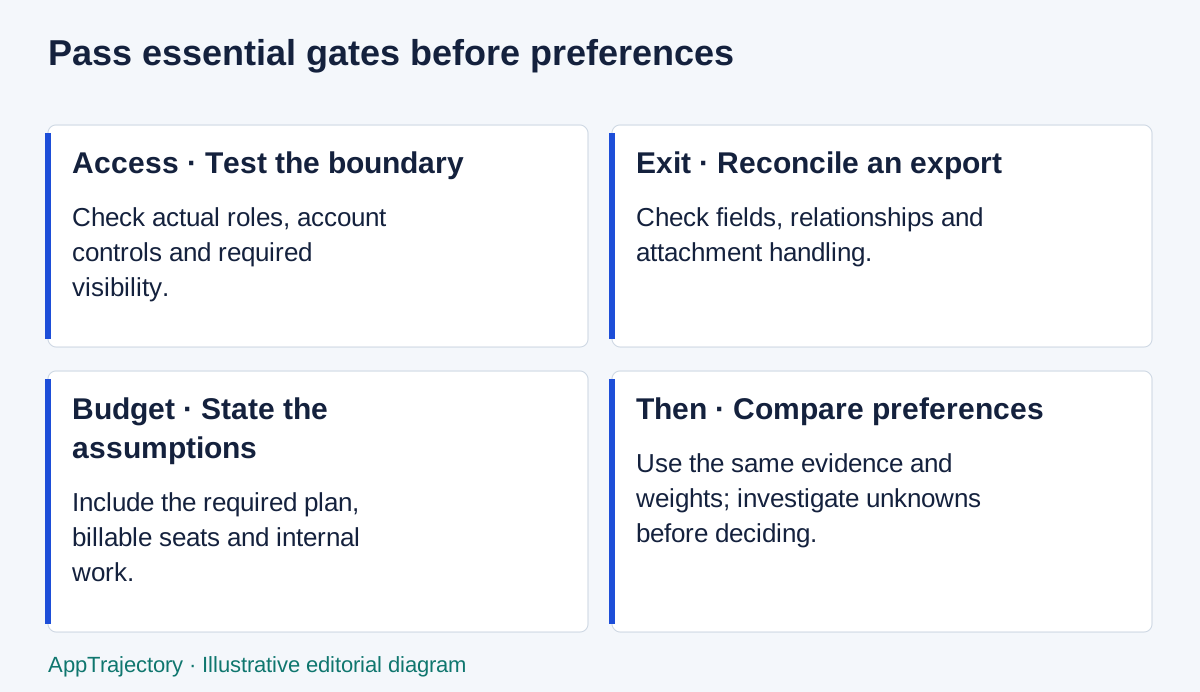
Read the diagram as text
- Access · Test the boundary: Check actual roles, account controls and required visibility.
- Exit · Reconcile an export: Check fields, relationships and attachment handling.
- Budget · State the assumptions: Include the required plan, billable seats and internal work.
- Then · Compare preferences: Use the same evidence and weights; investigate unknowns before deciding.
Define the decision before the shortlist
Write a one-paragraph problem statement and identify the people who perform the work, administer the system and approve spending. Capture the current workflow, including handoffs, exceptions and work done outside the main tool. Decide what is in scope and what will remain in existing systems.
Use the requirements checklist to separate essentials from preferences. A named requirement such as “client reviewers cannot access other clients’ records” is a test. “Enterprise-grade permissions” is a phrase to investigate. Ask a responsible person to confirm the requirement and the evidence needed to accept it.
Limit the shortlist to candidates with a plausible route through the essentials. Include the current setup as a baseline if it can reasonably meet them. A spreadsheet with a better intake process may be the most workable answer when volume is low and access boundaries are simple.
Apply the shortlist to a project team
For a team choosing how to manage requests and delivery, ClickUp and monday work management are candidates to investigate alongside the current process. Start with one sample request, its owner, priority, acceptance criteria and approval record. A familiar spreadsheet remains a useful baseline when the workflow and access needs are simple.
ClickUp is worth considering when the team wants to organise this work as tasks, but the guest role needs attention before a client pilot. ClickUp’s guest documentation says Free Forever guests receive full permissions on shared items; paid plans distinguish view-only and permission-controlled guests. Check that the intended role can do the required work without receiving broader access. View ClickUp.
For a board-based project workflow, assess monday work management separately from monday CRM and monday dev. monday’s shareable-board documentation places external guest collaboration on Standard and higher plans. A lower-priced plan is not a suitable comparison if that collaboration is essential. View monday work management.
I use these examples to show how plan restrictions change a project-tool shortlist. The cited product details were checked on 9 September 2026; the example is not a comparative performance result. Run the same bounded pilot for each viable candidate and keep unknown requirements visible. Use the ownership-cost example to separate the subscription from the work of adopting it.
Apply three essential gates
| Gate | Question | Evidence before a pass |
|---|---|---|
| Access and security requirements | Can the required roles, account controls and data boundaries be operated? | Role tests, relevant documentation and confirmation from the responsible access owner |
| Workable data exit | Can the team retrieve and reuse the records it needs? | Sample export with field, relationship and attachment checks |
| Budget fit | Can the organisation afford the required plan and implementation? | A quote or documented assumptions covering billed seats, add-ons and internal work |
Use pass, fail and unknown. Unknown is not a provisional pass. A candidate with a high weighted score and a failed essential gate is not ready to shortlist. If a requirement is revised, record who authorised the change and why; do not quietly weaken it to accommodate a preferred product. These checks are planning aids, not security certification.
The Lightwell case illustrates why a software decision should include a plan for the end of active support.
Run a real-workflow demo
Illustrative demo: a small agency needs to receive a client request, assign it, obtain approval and export the record. Use non-sensitive sample data, the intended roles and the plan you would actually buy. Invite the coordinator who will do the work, not just the buyer.
| Step | Ask the supplier or pilot owner | Record |
|---|---|---|
| Capture | Show a request arriving with a missing required field. How is it corrected? | Steps, errors, keyboard behaviour and whether input survives failure |
| Assign | Transfer ownership while the usual colleague is absent. | Role used, notification and fallback ownership |
| Restrict | Open a different client’s record as a guest, including by direct URL. | What is denied and whether protected details leak |
| Integrate | Move the exact approved fields to the other system, then simulate an error. | Direction, timing, plan, mapping and retry behaviour |
| Export | Export the completed request with its related records. | File format, identifiers, fields, attachments and omissions |
| Operate | Show the recurring administration and support route. | Named owner, estimated effort and unanswered questions |
A demonstration controlled entirely by a supplier is evidence of what was shown under those conditions. It is not proof that your team can reproduce the task. Note whether an action required a special account, a premium feature or a prepared dataset. Ask for a trial on the relevant plan when a critical behaviour remains uncertain.
Check integration depth and adoption
“Has an integration” does not establish that the right data moves in the right direction. Specify source and destination, field mapping, create-versus-update rules, duplicate handling and what happens after a connection loses permission. Confirm which account owns it and what occurs when that person leaves.
For a spreadsheet-to-project-tool handoff, check the approved version, the creation rule and the return receipt separately. A task may exist even if the source update fails. Require a stable request reference, a way to hold uncertain outcomes out of automatic creation and a named recovery owner. The Make and ClickUp intake guide applies these checks to one concrete workflow.
Choose the integration platform against the same request rather than comparing app counts. Make vs Zapier covers mapping, replay, operating effort and billing assumptions. If the existing process already meets the requirement at low volume, keep it in the comparison.
Ask representative users to perform the task from a brief instruction rather than memorise a guided demo. Record where they need help and whether that help is reasonable for ordinary work. Accessibility, terminology and exception handling can matter more than a long feature list. Do not turn one participant’s experience into a claimed adoption percentage.
If the shortlist is specifically for a marketing team, StuartKerrs.com's guide to choosing marketing software applies the evaluation to marketing workflows and adoption. Related publication from the same publisher.
Compare evidence on the same scale
The evaluation scorecard starts with workflow fit, adoption, integration, portability, permissions and cost. Set weights before entering scores to reduce the temptation to favour a preferred candidate. Rate every option on the same criteria and attach notes describing the evidence and its limits.
Illustrative scores of 5, 4, 3, 4, 4 and 3 with the default weights produce 80 out of 100. That number describes the chosen inputs. It is not an objective product rating. If one score is blank, the comparison is incomplete; if the data-exit gate is unknown, the candidate remains unready regardless of the arithmetic.
Try a reasonable alternative weighting and see whether the conclusion changes. A tie or a fragile ordering calls for discussion or a targeted check, not extra decimal places. Compare the total ownership costs using the same horizon and exclusions.
End with a decision and operating owner
Run a bounded software pilot for the uncertainties that could change the choice. Agree go, no-go and inconclusive outcomes before starting. If the trial omits a needed paid feature, request evidence or an appropriately scoped test; do not mark the feature observed.
At the decision meeting, state the preferred option, essential-gate evidence, unresolved risks, expected cost and the person responsible for implementation. Include the cost of not changing. A good conclusion may be to defer purchase and repair the current workflow. Preserve the record so renewal is a review of actual use and new evidence, rather than another first-time buying exercise.
My choice for the example team
For the six-person team in this guide, I would choose ClickUp first when accepted work needs to become a maintained backlog of delivery tasks. I would choose monday work management first when inconsistent incoming requests are the main problem and a coordinator will own the form-to-board process. If work is already managed through GitHub issues and pull requests, GitHub Projects is the stronger starting point because the planning views refer directly to that work. These are editorial fit judgments, not results of a paired usability test.
Keep the comparison task constant: accept a request, assign its owner, preserve the decision and retrieve the record. Compare the least expensive plans that meet that task, not plans with similar names. The ClickUp versus monday comparison explains the plan and seat tradeoffs; the cost guide separates actual subscription arithmetic from assumed labour.
I would reject all three for this purchase if the existing register already meets the requirements and the only proposed benefit is another dashboard. That is a recommendation to keep the working baseline, rather than a request for the reader to invent a verdict.
Test integration depth and the next stage of growth
For every required integration, record the direction of data movement, fields and identifiers, sync timing, permission owner and failure route. A connector listing alone does not prove that approvals, attachments or updates survive the handoff. Test one valid record, one rejected record and one interrupted transfer before relying on it.
Model expected users, records and concurrency separately from speculative growth. Ask which limit or control forces a higher plan and who would perform that change. Include retraining, replacement connectors and exit work in the cost comparison. If an essential remains unknown, the decision is defer and investigate rather than buy the apparent top scorer.