 Stuart Kerr Spindlow
Start with the problem, the people affected and a testable outcome. Record the constraints that a solution must satisfy before listing desirable features. For a small team, one shared requirements table with an owner and an evidence column is often enough to begin. The aim is a decision you can explain, not a long specification nobody maintains.
Start with the worked requirements table or download the blank requirements worksheet (CSV). Record one need per row, then return to the checks below before comparing products.

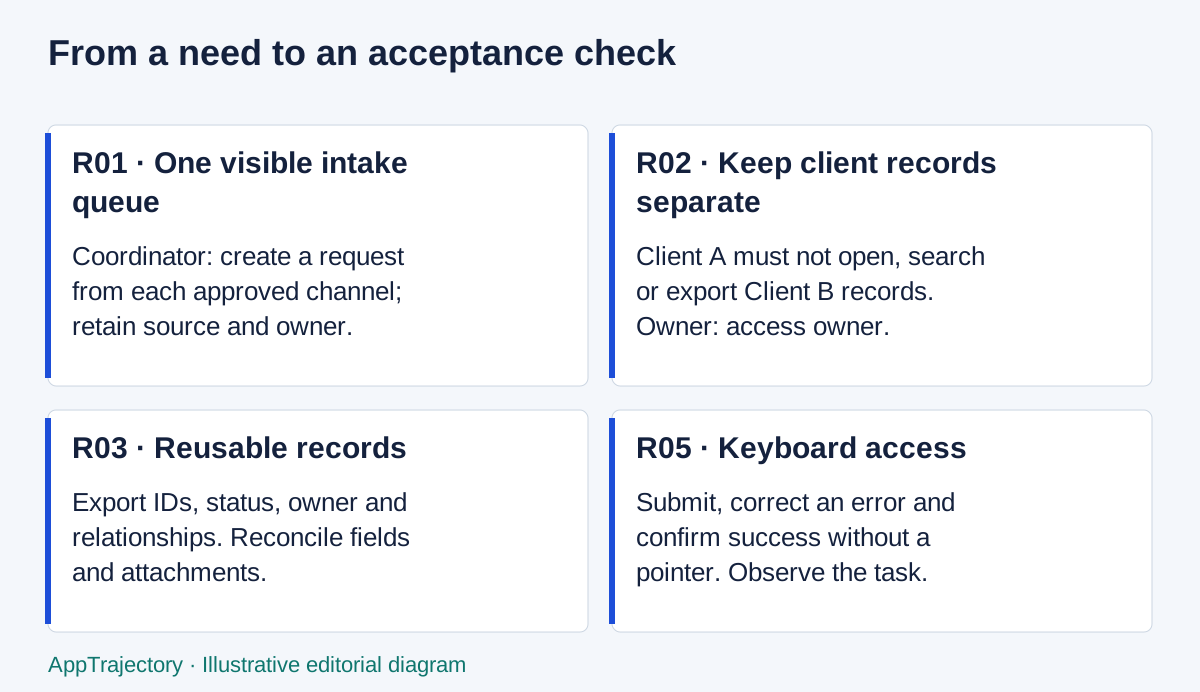
Read the diagram as text
- R01 · One visible intake queue: Coordinator: create a request from each approved channel; retain source and owner.
- R02 · Keep client records separate: Client A must not open, search or export Client B records. Owner: access owner.
- R03 · Reusable records: Export IDs, status, owner and relationships. Reconcile fields and attachments.
- R05 · Keyboard access: Submit, correct an error and confirm success without a pointer. Observe the task.
Describe the work before the software
Follow a real request from arrival to completion. Ask who receives it, what they need to know, where they record the decision and how the next person learns that work is ready. Include the awkward cases: a client sends a correction, the usual owner is away or two people create the same record. Separate a process failure from a missing software capability.
“We need a dashboard” is a proposed solution. “The delivery lead needs to identify requests without an assigned owner before the morning review” is a requirement. It leaves room for a saved view, a report or an existing spreadsheet. If a named owner and a consistent intake routine solve the problem, buying nothing is a sound outcome.
Define the boundary too. A request-intake project might cover capture, assignment and acknowledgement while leaving invoicing and campaign management alone. Without that boundary, every meeting can add another product category to the shortlist.
Separate essentials from preferences
- Business outcome: what should someone be able to do, and why does it matter?
- User groups: staff, clients, contractors and occasional reviewers may need different experiences.
- Data: identify record types, sensitive fields, attachments and the source of truth.
- Permissions: say which roles may view, edit, invite, export and delete. Test restrictions as well as permitted actions.
- Integrations: identify the exact fields, direction, timing and recovery behaviour needed.
- Portability: state what must leave the system, in which format, and who can authorise an export.
- Accessibility: include keyboard use, readable errors, zoom and the assistive technology used by actual participants.
- Budget and ownership: name the spending owner, ongoing administrator and acceptable cost range.
Mark an item essential only when there is a defensible reason. A contractual restriction or a client confidentiality boundary is different from a familiar button layout. Record the source of any obligation; ask the responsible person to confirm it. Do not invent compliance requirements from a product brochure.
A reusable requirements worksheet
Illustrative example: a six-person client-delivery team is assessing how to collect and assign requests. These are invented inputs for demonstrating the method, not observations from a customer study. Adapt the acceptance checks and collect your own evidence.
| ID | Problem | Affected user | Required outcome | Priority | Acceptance check | Evidence | Owner | Unresolved question |
|---|---|---|---|---|---|---|---|---|
| R01 | Requests spread across inboxes | Coordinator | One visible intake queue | Essential | Create a request from each approved channel; all appear with source and owner | Sample handoff notes to collect | Project lead | Which channels are in scope? |
| R02 | Clients may see unrelated work | Client reviewer | Only assigned client records are visible | Essential | Client A cannot open, search or export Client B records | Permission test required | Access owner | Are guests separately billed? |
| R03 | Records must be reusable | Operations | Export IDs, status, owner and relationships | Essential | Export test records; reconcile fields and related IDs | Export sample pending | Operations lead | How are attachments retrieved? |
| R04 | Assignments get missed | Delivery lead | Owner receives a clear handoff | Important | Assign a request; intended owner can identify and acknowledge it | Walkthrough to observe | Team lead | Which notifications are useful? |
| R05 | Keyboard users encounter blockers | Coordinator | Complete intake without a pointer | Essential | Submit, correct an error and confirm success using keyboard only | Task observation pending | Pilot lead | Which assistive tools are needed? |
| R06 | Administration time is unclear | Budget owner | Affordable ongoing operation | Essential | Record billed seats and admin estimate within agreed budget | Quote and time estimate pending | Publisher or manager | Who covers absence? |
Download blank requirements CSV
Fill each row from left to right. Give it a stable ID so demo notes and acceptance criteria can refer back to it. Write the unresolved question even when the likely answer seems obvious. A blank evidence cell is a reason to investigate; it is not proof that the requirement has been met.
Make the evidence readable
Use five explicit labels in working notes. A requirement is an agreed need. An assumption is an unconfirmed belief. An estimate is a forecast with inputs and a range. A vendor claim is something a supplier states. An observed result is what happened during a recorded check. Moving a claim into the observed column requires the check, not a persuasive demo.
For R03, “CSV export available” could be a vendor claim. A stronger note says which plan and view were used, what fields were present and what was missing. Keep confidential exports in your approved workspace; the public scorecard does not need private client details.
Keep customer-workflow scope precise
First decide whether the requirement concerns managing customer relationships, automating campaigns or both. this explanation of CRM and marketing automation helps separate those requirements. Related publication from the same publisher.
For this example, the team needs to know which client owns a request and who responds. That does not automatically create a need for campaign sequencing or lead scoring. Add a separate requirement only if there is a confirmed workflow, an owner and a reason to include it now.
Review the table before comparing products
Ask the people doing the work to challenge the rows. Can they perform each acceptance check? Are two rows duplicates? Has an implementation preference been labelled essential? Record who accepted the scope and what remains unresolved. A short review should produce a usable baseline, not a frozen document that nobody may change.
Turn selected requirements into user stories and acceptance criteria. Then use the same baseline to evaluate SaaS candidates and complete the software evaluation scorecard. Revisit the baseline when new evidence changes the decision; preserve the reason for the change.
Choosing a replacement for a discontinued tool? Start with the required outcome; the Lightwell guide gives an example.
A worksheet, a document or a backlog?
For the six-person intake example, I would start with the worksheet. The decision depends on comparing the same access, handoff and export requirements across options, and rows make omissions easier to inspect. A narrative document is better for explaining an unusual business rule; link it from the relevant row. A backlog is better once the team is ready to organise delivery, but it should not turn an unresolved requirement into a promised feature.
The worked table contains six requirements, of which five are marked essential. That is a count of this example, not a recommended quota. If four of the five essentials have supporting evidence, the fifth still prevents a complete decision; “80% covered” must not disguise a missing access or exit check. Keep evidence coverage separate from how many fields someone has filled in.
My assessment is that the worksheet wins for a small, unsettled buying decision because it keeps competing solutions open. Move to a more elaborate specification only when a real dependency, assurance requirement or implementation team needs the extra detail.
Make every essential requirement testable
An essential requirement rules out a candidate if it fails; an optional preference helps choose between candidates that already pass. Identify who owns each requirement, what acceptable evidence looks like and which plan, role or integration must be tested. Do not promote a preference to an essential just because a favourite product supports it.
Include the constraints people often miss: setup capacity, required integrations, expected growth, retraining, data exit and switching costs. Use the selection matrix to compare the same acceptance checks across candidates.