 Stuart Kerr Spindlow
A useful user story names a person, a need and the outcome they want. Acceptance criteria describe observable conditions that show whether that specific need has been met. Start from a confirmed requirement, make the boundaries explicit and include failure cases. You do not need to force every task into a story format.

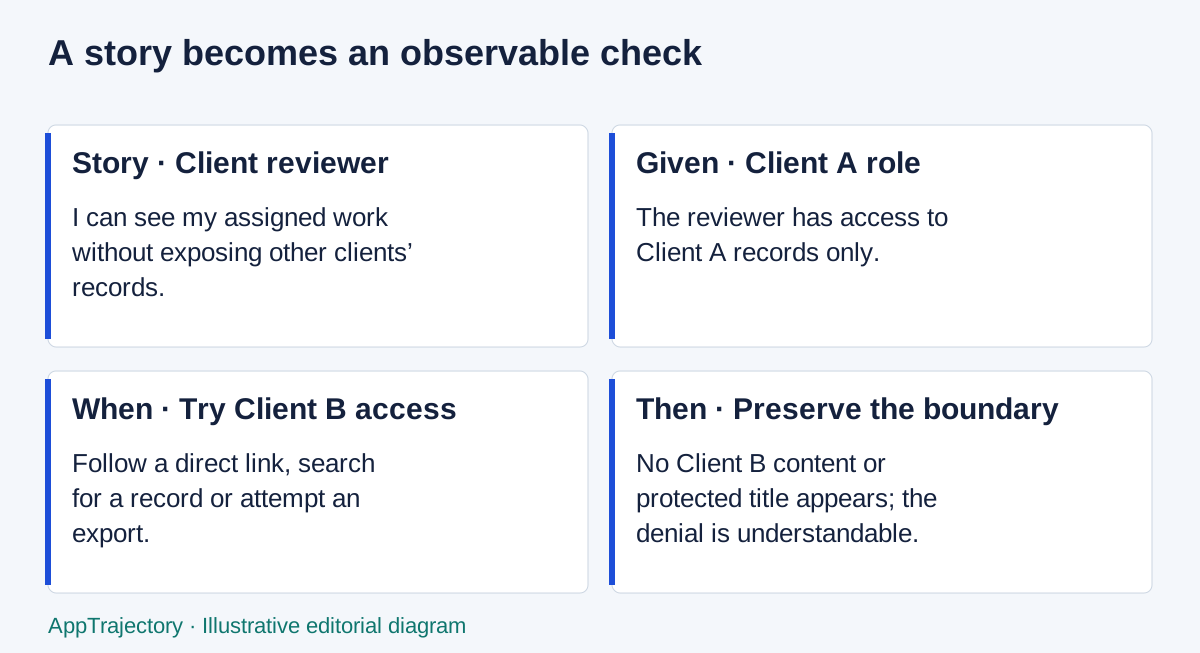
Read the diagram as text
- Story · Client reviewer: I can see my assigned work without exposing other clients’ records.
- Given · Client A role: The reviewer has access to Client A records only.
- When · Try Client B access: Follow a direct link, search for a record or attempt an export.
- Then · Preserve the boundary: No Client B content or protected title appears; the denial is understandable.
Connect a story to a real requirement
“As a coordinator, I need to assign an incoming request so the right colleague can act on it” explains the job. It does not yet say who may assign work, whether an owner is compulsory or what happens if the colleague loses access. Discuss those choices with the person responsible for the requirement before calling the story ready.
A story is useful when a person and a meaningful outcome help the team understand the work. A database upgrade, a contractual constraint or a research question may be clearer as a technical task, rule or investigation. Do not invent a fictional end user merely to fit a sentence template. Story points are optional estimation practice, not a prerequisite for writing clear work.
Acceptance criteria concern this item. A team’s Definition of Done concerns its shared quality expectations. In Scrum, the Definition of Done describes the state an Increment must reach; see the Scrum Guide. Do not repeat the entire quality policy in every story or assume a working happy path satisfies it.
Six worked examples
The following examples are illustrative. Their timings, roles and boundaries are proposed design choices, not documented behaviour of any vendor. Each bad version conceals a decision the better criteria make visible.
| Need and weak version | Better story | Acceptance and edge checks |
|---|---|---|
| Invite a colleague: “Invitations work.” | As an administrator, I can invite a named colleague to the right role so they can join the project. | An authorised administrator selects a role and sends an invitation. A malformed email shows a field error. Re-sending does not create a second membership. An expired or revoked invitation grants no access. The team must choose expiry duration. |
| Limit client visibility: “Keep clients private.” | As a client reviewer, I can see my assigned work without exposing other clients’ records. | Client A can read assigned records; direct links, search and export do not reveal Client B. A denied request gives a useful message without displaying the protected title. Test with actual client-role accounts. |
| Export records: “Add export.” | As an operations lead, I can export approved request data so it can be reconciled outside the system. | The approved export contains stable IDs and the agreed fields. A test with commas, line breaks and non-ASCII names imports correctly. Relationships are verifiable by ID. State separately whether attachments are included. |
| Capture a request: “Make a simple form.” | As a coordinator, I can record a request with enough context for assignment. | Required fields have visible labels. Submitting incomplete input preserves entered values and identifies errors. Keyboard users can correct and submit. Successful submission gives a record reference; a failed save does not show success. |
| Prevent duplicates: “Stop duplicates.” | As a coordinator, I can identify an existing request before accidentally creating another. | The team defines the matching key. A matching submission shows the existing reference to an authorised user. Concurrent submissions do not silently produce two accepted records. A legitimate repeat request has an explicit path. |
| Confirm completion: “Notify everyone.” | As a request owner, I can confirm completion so the requester knows the agreed work is finished. | Only the permitted role completes the request. The status change and timestamp are recorded. Notification failure is visible and can be retried without repeating the work. Reopening preserves the prior decision history. |
Choose examples that can fail
“Fast”, “intuitive” and “secure” are goals until you explain the conditions. For speed, agree the representative record volume, task, device and acceptable duration. For usability, observe whether a representative person can complete the task with the agreed support. For access, test a prohibited action. Avoid inventing a numerical threshold just to make a sentence look measurable.
For the export story, prepare three records: one ordinary record, one containing a comma and a line break, and one related to another record. Export, reopen and reconcile them. That tiny sample can expose a format issue but cannot establish that every record or attachment migrates. Document what the sample does and does not cover.
Use Given/When/Then when it clarifies the conditions, but plain bullets can be equally testable. “Given Client A’s account, when opening Client B’s direct URL, then no protected content is returned” is stronger than “permissions should work”. Include what must remain true after an error, not just which message appears.
Acceptance-criteria worksheet
Requirement ID:
User / role:
Confirmed need:
Outcome:
In scope:
Out of scope:
Given [starting state], when [action], then [observable result].
Permission boundary:
Invalid input / failure behaviour:
Keyboard and accessibility check:
Evidence to collect:
Open questions (do not assume answers):
Acceptance owner:
Copy the confirmed requirement ID into the worksheet first. If the note only says “clients need updates”, leave channel, frequency and visibility as open questions. Ask the owner to resolve them before an implementation silently chooses for everyone. The worksheet is useful in a document or spreadsheet; it does not require another planning application.
Keep the item small enough to inspect
If one story covers invitation, role management, billing and account recovery, split it around independently understandable outcomes. Keep dependencies visible. A client invitation may depend on defining client visibility; that access decision should not be buried inside a later test.
After implementation, record the observed result alongside the criterion and its date. A checked box without evidence is weak support for a consequential permission or data decision. If a criterion changes, distinguish a corrected misunderstanding from an agreed scope change and record who accepted it.
Connect the outcome to the roadmap and backlog and use backlog prioritisation to decide when to work on it. Clear criteria explain what completion means; they do not by themselves make an item the next priority.
Choose criteria that expose the difficult decision
I would use plain acceptance bullets for the export example: preserve the request ID, retain the agreed fields and reconcile relationships. Given/When/Then is more useful for the client-access example because the starting identity and prohibited action determine the result. Neither format is inherently more rigorous; the stronger one makes a failure unambiguous without hiding the requirement inside ceremony.
The three-record export sample in this guide checks specific formatting and relationship cases. Three passing records do not support a “100% reliable export” claim. Report which cases passed and retain the actual files. A larger random sample answers a different question from deliberately chosen edge cases, so do not merge their counts without explaining the method.
For technical maintenance with no meaningful user interaction, I recommend a task with a concrete verification condition instead of an artificial user story. The practical winner is the shortest form that preserves the outcome, boundary and acceptance owner.