 Stuart Kerr Spindlow
Run a software pilot as a bounded investigation with representative tasks, named owners and a decision at the end. Define success, failure and an inconclusive outcome before starting. Two weeks is a proposed schedule for organising the work, not a claim that every supplier offers a 14-day trial or that every decision can be resolved that quickly.

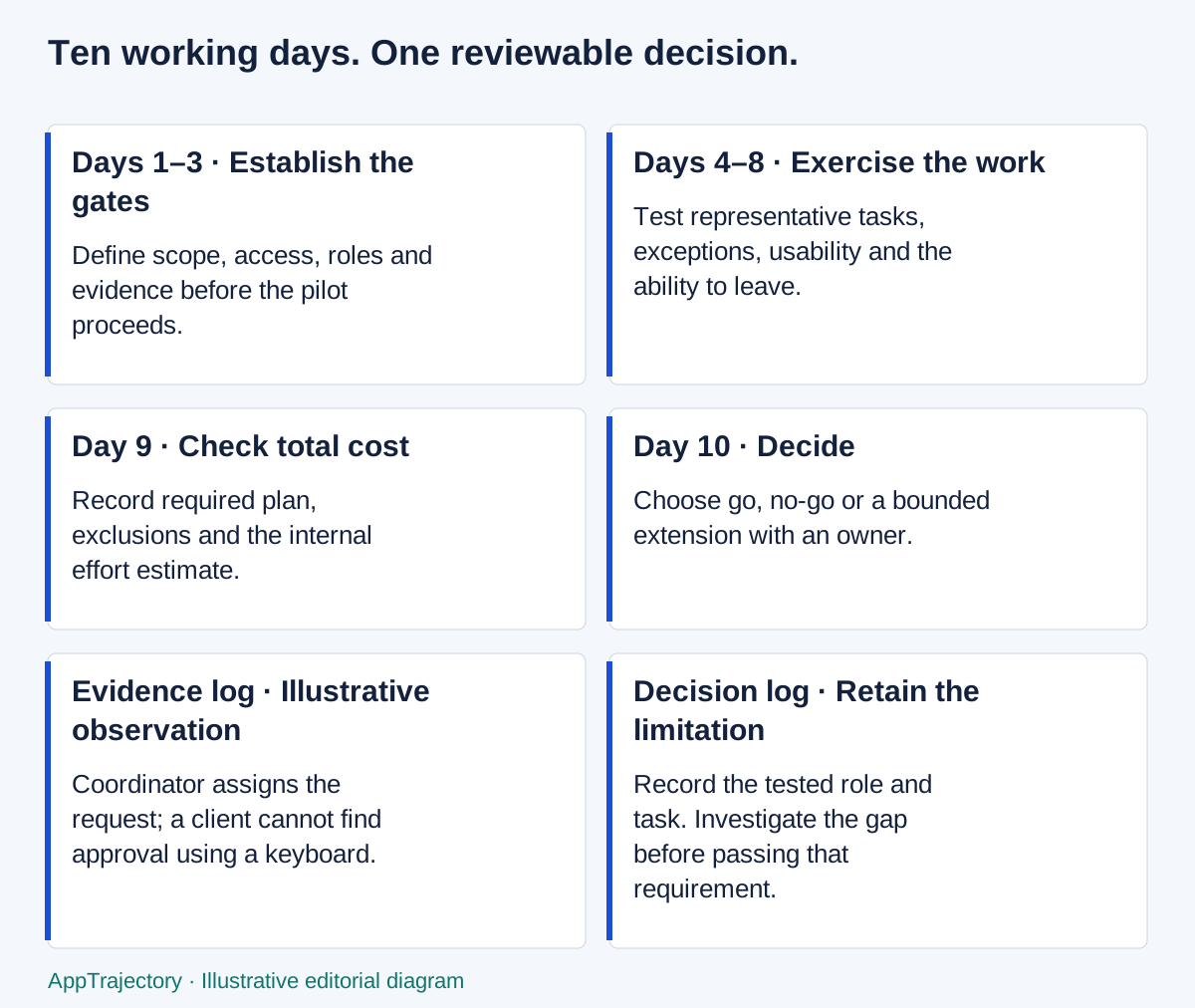
Read the diagram as text
- Days 1–3 · Establish the gates: Define scope, access, roles and evidence before the pilot proceeds.
- Days 4–8 · Exercise the work: Test representative tasks, exceptions, usability and the ability to leave.
- Day 9 · Check total cost: Record required plan, exclusions and the internal effort estimate.
- Day 10 · Decide: Choose go, no-go or a bounded extension with an owner.
- Evidence log · Illustrative observation: Coordinator assigns the request; a client cannot find approval using a keyboard.
- Decision log · Retain the limitation: Record the tested role and task. Investigate the gap before passing that requirement.
Define what the pilot must decide
Write the purchasing or implementation decision in one sentence. For example: can this option support client-request capture, assignment and approval within our access and cost constraints? Exclude unrelated features unless they could change that decision. A pilot that tries everything often produces a tour of the interface rather than useful evidence.
Choose representative users, including the administrator and people who handle exceptions. Use approved test data that covers the relevant workflow without exposing private client information. Confirm the available plan, features and trial conditions from the supplier. If a required capability is absent from the trial, record the limitation and arrange a suitable check.
Document the current baseline. A spreadsheet or an improved version of the existing workflow can serve as the comparison. Buying nothing remains a valid outcome if the new option adds administration without solving a confirmed problem.
Agree gates and evidence
| Decision area | Proposed acceptance | Evidence | Owner |
|---|---|---|---|
| Workflow | Representative participants complete capture, assignment and approval | Task notes and exceptions | Pilot lead |
| Access | Client roles cannot retrieve unrelated client records | Permitted and prohibited action tests | Access owner |
| Exit | Required records can be exported and reconciled | Field, identifier and attachment checks | Data owner |
| Adoption | Critical tasks work with the support the team can realistically provide | Observed help needed and accessibility checks | Team lead |
| Budget | Required plan and internal effort fit the approved estimate | Quote assumptions and cost worksheet | Budget owner |
These criteria are illustrative starting points. Your team must adopt its own thresholds and decide which failures stop the pilot. Do not invent adoption percentages or claim that a completed checklist proves the product is secure. A result is only as broad as the test conditions.
Use the same project request in ClickUp and monday
Illustrative pilot brief: use a fictional request to update a client onboarding checklist. Record an owner, priority, acceptance criteria, approver and due date. Use two fictional clients so the access owner can check both permitted and prohibited access. Run the same brief in each candidate and the current process; this is a proposed test, not a report of tests performed by AppTrajectory.
| Task | Proposed check | Evidence to retain |
|---|---|---|
| Intake and prioritise | Capture the request, leave one required detail missing, then correct it and assign an owner. | Fields used, missing-data behaviour and help required |
| Repeat the request | Submit the same synthetic request twice, using reference DEMO-001. Decide which record is authoritative before assigning work. | Both submission IDs, duplicate handling and the person responsible for reconciliation |
| Approve and communicate | Record acceptance criteria, request a change and identify who accepts the final version. | Approver, accepted version and status seen by each role |
| Check access | Try to open the other fictional client’s record as the external reviewer. | Role, shared location, direct-URL result and unexpected visibility |
| Export | Retrieve the request and verify the owner, criteria and approval record outside the tool. | Export settings, fields retained and missing records or attachments |
For ClickUp, confirm the plan’s guest permissions before inviting a reviewer. Its guest-role guidance distinguishes paid-plan permission controls from Free Forever access. The Workspace export guidance describes task-data CSV exports; check the actual record you need instead of treating an export button as proof of a complete backup. View ClickUp.
For monday work management, use the intended board type and verify that the chosen plan supports shareable boards for external reviewers. Its Excel export documentation notes that subitem updates are not included. If approvals live there, decide how to preserve them and test that exit route. View monday work management.
For the monday form test, its WorkForms setup guidance says questions must be added in the form editor; adding a board column does not automatically add a question. Map request reference, requested outcome and needed-by date explicitly, make the essential inputs required, then submit once with a missing answer. Keep owner and approval decisions under the team’s control. A submitted request is not an approved request.
Supplier documentation was checked on 9 September 2026. Record the tester, test date, actual plan, sample data and observed result when your team runs the pilot. Mark an unavailable test as unknown. Trial access to a feature does not establish that it is included in the subscription you intend to buy.
A two-week working schedule
This example uses ten working days across two weeks. Reorder it around access to participants and the dependencies that matter. The evidence column should link to your approved notes; do not upload private projects to AppTrajectory.
| Day | Task | Owner | Expected outcome | Evidence | Decision |
|---|---|---|---|---|---|
| 1 | Define baseline tasks and decision | Pilot lead | Scope, users and go/no-go criteria agreed | Current workflow notes | Confirm scope |
| 2 | Prepare representative test data | Data owner | Approved sample covers ordinary and edge cases | Sample inventory | Accept test data |
| 3 | Set up roles and access | Access owner | Named users have only required access | Role and recovery checks | Pass / fail / unknown |
| 4 | Run request capture and handoff | Coordinator | Representative work can be completed | Task observations and errors | Record gaps |
| 5 | Review first-week evidence | Pilot lead | Resolve blockers or narrow remaining tests | Evidence log | Continue / revise / stop |
| 6 | Test integrations and failure recovery | Administrator | Required fields move with a visible recovery path | Mapping and retry evidence | Pass / fail / unknown |
| 7 | Test export and portability | Data owner | Required records can be reused | Export reconciliation | Pass / fail / unknown |
| 8 | Check usability, accessibility and support | Representative users | Critical tasks work with agreed support | Keyboard and task notes | Record unresolved needs |
| 9 | Reconcile price and internal effort | Budget owner | Cost model uses the required plan and realistic effort | Quote and cost worksheet | Budget gate |
| 10 | Hold go/no-go review | Decision owner | Decision follows gates and recorded evidence | Signed decision record | Go / no-go / inconclusive |
Days one to three establish whether the pilot is safe and meaningful to run. Days four to eight exercise the actual work and the ability to leave. Day nine makes the financial assumptions visible. Day ten is a decision meeting, not an automatic approval.
Record what happened, including failures
For each task, record the role, plan, sample data, expected outcome, observed result and unresolved question. “Works well” does not tell the decision owner whether the task was completed independently, needed administrator help or failed on a specific edge case. Keep estimates and vendor claims in separate fields.
Illustrative observation: the coordinator can assign a request, but a client cannot find the approval action using a keyboard. That is a concrete usability gap for this tested workflow. It does not justify a broad claim about every part of the product, but it may be enough to fail an essential requirement for this team.
Record workarounds and their cost. A manual export step may be acceptable once a month but unreasonable for a daily process. A workaround that bypasses a required permission boundary is not an acceptable success path.
Handle missing evidence honestly
A pilot may be inconclusive because a required integration was unavailable, the representative user could not participate or the test plan omitted a meaningful case. Name the specific gap and the smallest next check. Extend only if the information could change the decision and the additional cost is justified.
Do not convert “not tested” into “probably fine”. If the trial lacks a paid feature, a supplier demonstration can support a limited claim about what was shown, while a controlled test on the correct plan may still be needed. Preserve that difference in the scorecard.
Stop early when a genuine essential requirement has failed and there is no viable remedy. Continuing to explore attractive secondary features can make it harder to accept a necessary no-go decision.
Hold a go/no-go review
- Review essential gates before weighted preferences.
- Compare the evidence against the original decision and baseline.
- Confirm total cost, exclusions and ongoing administrative responsibility.
- Choose go, no-go or a precisely scoped follow-up investigation.
- Record who accepted the conclusion and what remains unresolved.
- If proceeding, assign migration, training and post-launch review owners.
Use the evaluation scorecard to structure completed evidence, not to overrule it. A high score cannot repair a failed data-exit gate. A tie may mean the team should choose based on a clearly stated operating trade-off rather than manufacture a numerical winner.
After the decision, retain the evidence securely and remove test accounts and connections that are no longer needed. The SaaS evaluation guide frames the wider choice; the migration checklist turns a go decision into a controlled move.
Compare completion, assistance and recovery separately
I would run a bounded task pilot rather than rely on a supplier demo when access, approval or export can change the purchase. A demo is useful for narrowing the shortlist; a pilot is stronger evidence for whether the intended people can operate it. The ten working days in this template are a planning envelope, not a measured setup duration or a requirement to keep testing a failed candidate.
For each shared task, record independent completion, completion with help, failure or not tested. Keep the count and denominator visible. Two people succeeding with administrator coaching is different evidence from two people succeeding independently, even though both can be described as two completed tasks. Record setup effort separately from repeated task effort, and record recovery separately from the happy path.
My purchase rule is to choose the candidate that passes every essential gate and leaves the team with an understandable operating burden. If both qualify, use comparable subscription totals and observed help or maintenance needs as tie-breakers. Without paired observations, the fit recommendations in ClickUp versus monday remain editorial judgments, not a declared usability winner.