 Stuart Kerr Spindlow
Make requests arrive with an owner
I recommend designing the request and its review path together. A useful monday work management intake process captures the outcome, puts the request in front of an owner and makes the next decision clear. Start with the questions and board fields the team actually needs, then add automation only to stable rules.
I have used monday work management hands-on. The worked examples are illustrative, and the linked product details were checked on 9 September 2026. Confirm the plan and requirements for your own team.
Use a board for Onboarding Refresh requests. Define a small process before configuring it: Received, Needs detail, Accepted, In progress, Review and Closed. The delivery lead owns triage; the requester supplies the desired outcome; the approver accepts a specific version. Keep CRM sales pipelines outside this exercise.

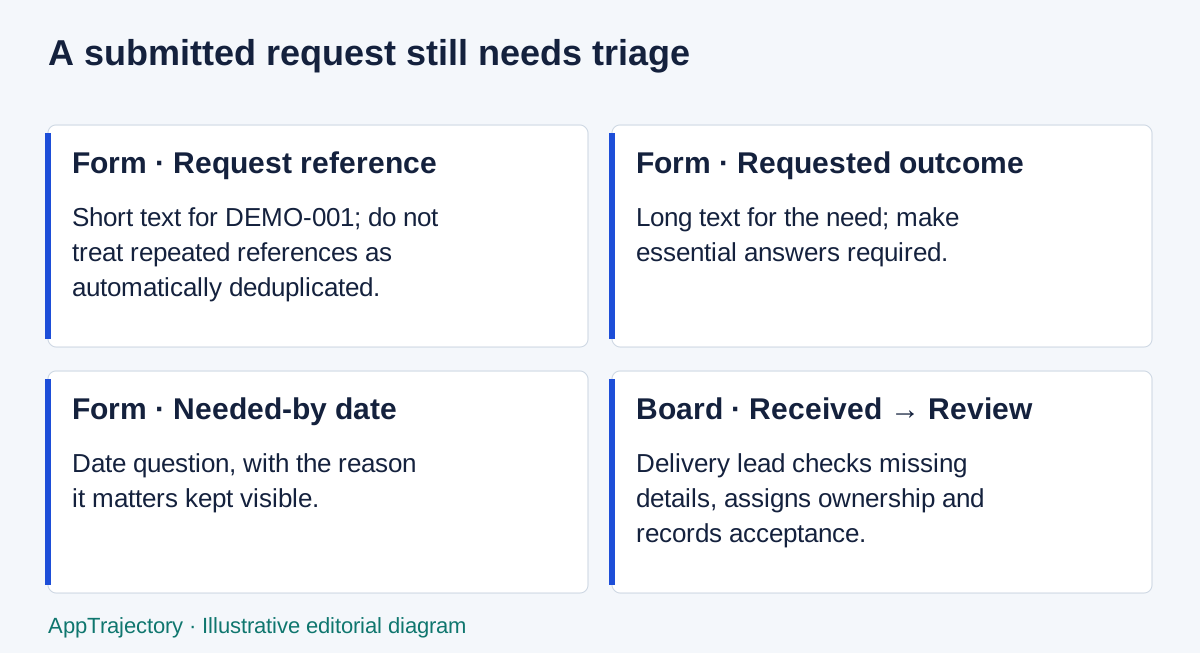
Read the diagram as text
- Form · Request reference: Short text for DEMO-001; do not treat repeated references as automatically deduplicated.
- Form · Requested outcome: Long text for the need; make essential answers required.
- Form · Needed-by date: Date question, with the reason it matters kept visible.
- Board · Received → Review: Delivery lead checks missing details, assigns ownership and records acceptance.
Create the form and verify the mapping
Use a test board and fictional records. Supplier instructions were checked on 18 September 2026; the following is a documented setup sequence, not a fresh hands-on result.
- Open the Onboarding Refresh board and add a WorkForm using monday’s WorkForms entry point. Confirm the connected board before collecting any submissions.
- In Edit, give the form a clear title and state what happens after submission. Keep public account-data access disabled unless an administrator separately approves a need.
- Use Add content to add Short text for request reference, Long text for requested outcome and Date for needed-by. Those types correspond to Text, Long Text and Date board columns.
- Open each essential question’s settings and mark it Required. Adding a column alone is not enough: check the actual form questions and where each answer arrives.
- Preview the form and submit DEMO-001 with a fictional outcome. Inspect the resulting board item and compare every field with the submitted values.
- Submit an incomplete example and a repeated DEMO-001. Record the actual behaviour, correct mappings if needed, and keep duplicates or missing detail in triage.
- Assign the delivery owner internally. Record approval of the accepted version separately from the receipt of a form submission.
Sources: add a WorkForm and question types, required questions and mapping. Record the plan and role used for your pilot; trial access does not confirm what your eventual subscription includes.
Map each question deliberately
The supplier’s WorkForms instructions say form questions are managed separately from board columns. Add questions in the editor and check their destination fields. Use request reference and requested outcome as required inputs; add a needed-by date and the reason it matters. Verify mappings by reading the resulting board item.
Keep assignment and approval under team control. Avoid exposing a People question publicly just to let a requester choose an internal employee. Supplier documentation describes an account-data setting for that question type; changing it needs a deliberate access decision. Do not enable it as an incidental tutorial step.
Run three distinct submissions
Illustrative valid input: DEMO-001, Update the onboarding checklist to include a named delivery owner, requested by the fictional Client A coordinator. Expected result: one item with the reference and outcome intact, waiting for triage.
Illustrative invalid input: omit the requested outcome. Expected result: a useful correction path and no misleading accepted status. Record whether a submission is created and which fields are empty. Then correct the input and observe the result.
Illustrative duplicate: submit DEMO-001 again. Do not assume WorkForms deduplicates it. The delivery lead should identify repeated references and decide which item is authoritative. Keep a pointer and explanation on the duplicate rather than silently treating two submissions as two commitments.
Separate intake from approval and access
Acceptance is a team decision, not a consequence of successful submission. Record the approver, accepted version, decision date and reason for rework. Try a correction after approval and agree whether it reopens review. Start with manual triage; automate only a stable rule with a recovery owner.
Check four roles separately: submitter, form editor, board owner and external reviewer. With synthetic Client A and Client B requests, attempt prohibited direct access as well as normal work. A form’s visibility and its connected board’s visibility are different questions. Record the purchased work-management and WorkForms capabilities before treating a trial feature as included.
Keep an exportable handoff
Use the software pilot plan to record the actual plan, tester, timestamps and observed results. Verify a record outside monday that retains the request, owner, approval and any correction. Document exclusions and how the operational owner would recover the missing information.
Keep the workflow only if the team can identify the next action, correct an incomplete request and preserve the approval record. When duplicate submissions or field mappings need manual review, make that work visible and assign it. A clear, recoverable process is more useful than a form that appears to automate everything.
Where the form-to-board approach earns its keep
I would choose this monday workflow over email when repeated requests need the same information and a coordinator will actively manage triage. Email remains better for an unusual request that needs conversation before it can be structured. ClickUp is the stronger alternative when the incoming work is already a delivery task in an established backlog; adding a separate intake board then needs a clear reason.
The three proposed submissions answer different questions: one complete request checks mapping, one incomplete request checks correction, and one repeated reference checks duplicate handling. They are three designed cases, not a sample supporting a success-rate claim. Compare the requested outcome, reference and date with the resulting item; then check who owns the next decision. A form receipt establishes submission, not approval.
My recommendation is manual triage first, with assignment and version acceptance kept explicit. Automate only a rule that the coordinator can explain and recover. If a duplicate still needs human judgement, include that work in the operating cost rather than describing the whole intake as automated.
Explore the options
Sources and scope
The sources below support the feature, price and plan details in this guide. Prices and limits may change; check the actual order and plan.