 Stuart Kerr Spindlow
A controlled software migration begins with an inventory and a test export, then proves that a trial import preserves the records, relationships and access people need. Agree acceptance and rollback conditions before switching the source of truth. A file that opens successfully is not enough evidence that the workflow can move safely.

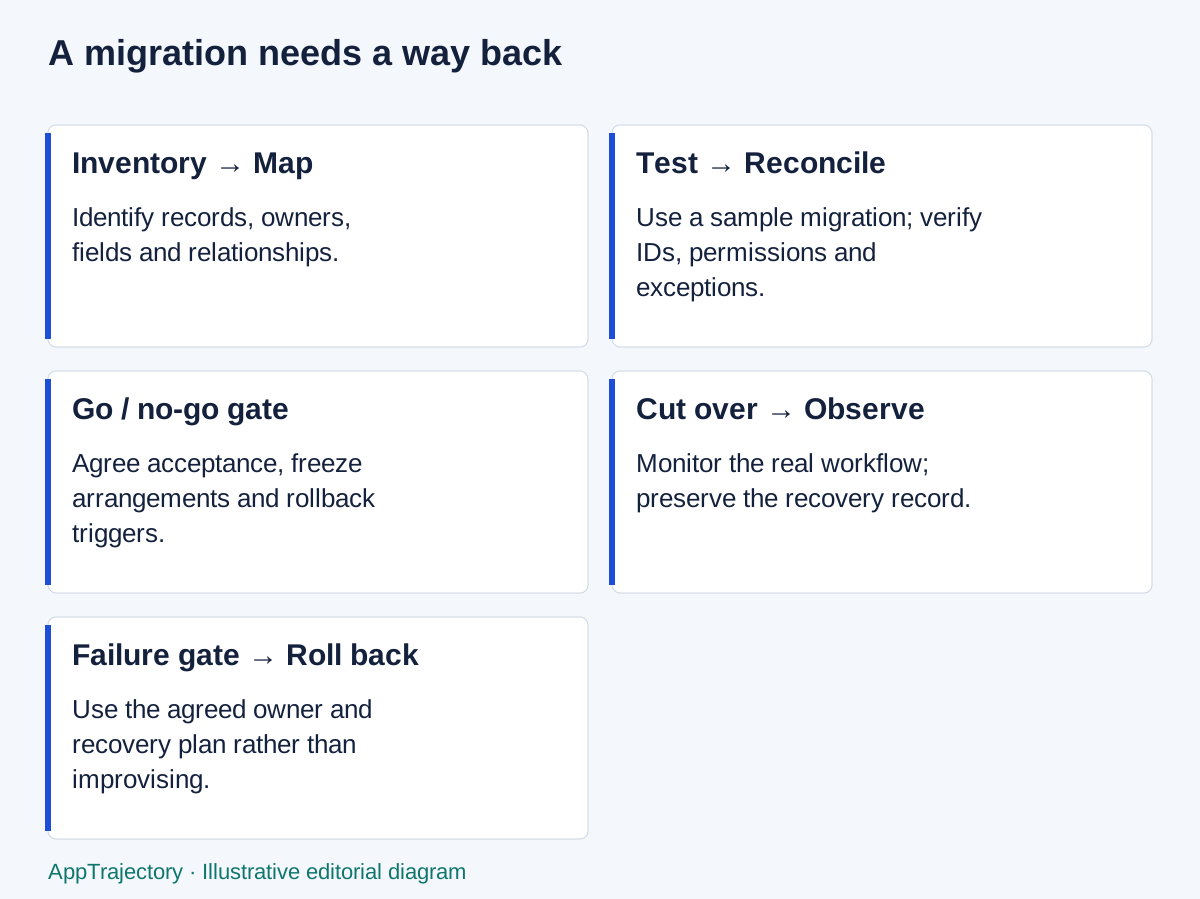
Read the diagram as text
- Inventory → Map: Identify records, owners, fields and relationships.
- Test → Reconcile: Use a sample migration; verify IDs, permissions and exceptions.
- Go / no-go gate: Agree acceptance, freeze arrangements and rollback triggers.
- Cut over → Observe: Monitor the real workflow; preserve the recovery record.
- Failure gate → Roll back: Use the agreed owner and recovery plan rather than improvising.
Inventory the system you actually use
List record types, fields, stable identifiers, relationships, attachments, comments, timestamps and permissions. Include automations, reports, scheduled jobs, external links and integrations. Ask users about work maintained outside the main application, such as a personal spreadsheet used to reconcile invoices.
Name the data owner, migration lead, access owner and person who will accept the result. One person may cover several roles, but the responsibilities must be explicit. Identify information that should be retained, cleaned up or excluded, subject to the organisation’s actual obligations. Do not invent a retention rule to simplify a difficult export.
Before replacing software, check whether the problem can be solved in place. A shared naming convention, ownership clean-up or a better approval routine may remove the reason for migration. The cost of change includes interruption and uncertainty, not just importing a file.
Prove what the export contains
A CSV or TSV may represent one view rather than an entire application. For example, GitHub’s project export documentation describes downloading a project view as TSV. That statement does not establish a complete backup of issues, attachments, relationships and application configuration. Check each required object separately.
Export a representative sample before promising a cutover. Include records with long text, non-ASCII characters, line breaks, empty fields, attachments and linked objects. Record the export account, plan, view or filter and date. Preserve an unchanged copy in an approved location and document who can access it.
Count records, but do not rely only on counts. Two files can have the same number of rows and different meanings. Verify identifiers, relationship links, status values, timestamp interpretation and attachment access. Check encoding and timezone assumptions explicitly.
Map fields and relationships
| Source | Destination | Transformation | Validation | Owner |
|---|---|---|---|---|
| request_id | legacy_request_id | Preserve as text, including leading zeros | Every imported request maps to one source ID | Migration lead |
| client_id | client_reference | Resolve against imported client records | No orphan client references | Data owner |
| status | workflow_state | Map “awaiting sign-off” to “review” only after approval | Sample each source state | Delivery lead |
| created_at | created_at | Preserve offset or document conversion | Compare dates across timezones | Migration lead |
| attachment_url | attachment or archive reference | Retrieve through approved access; do not assume links remain valid | Open a representative sample with intended roles | Data owner |
| client permission | client role membership | Rebuild through an approved access matrix | Client A cannot view Client B data | Access owner |
Keep a reject report for records that cannot be imported, rather than silently dropping them. Decide whether a rejected record blocks migration or can be resolved later. A required client relationship usually needs resolution before acceptance; an optional legacy tag may have a documented exception.
Run a trial import and workflow check
Use an isolated destination and approved test data. Import prerequisite objects first, then dependent records. Reconcile totals, inspect representative samples and perform normal tasks: find a request, edit it, obtain approval, restrict access and export again. Include users who understand the original records, not only the person writing the import.
A supplier’s import success message is a vendor result to investigate. An observed result records which data and behaviours were checked and what failed. Keep the two distinct. If the tool changes IDs, preserve the mapping needed by old references and connected systems.
Training should use the actual future workflow. Explain where work will arrive, who resolves errors and when the old system becomes read-only. The migration is incomplete if the data is present but nobody knows which system to update.
Agree cutover and rollback in advance
Illustrative cutover worksheet
Source of truth before switch: existing request register.
Freeze or delta-capture method: migration lead to confirm.
Final export owner: operations lead.
Acceptance: required record counts reconcile; sampled fields and attachments match;
client-role tests pass; representative workflow completes.
Go/no-go owner: delivery lead, with data and access sign-off.
Rollback trigger: unexplained missing required records or failed client isolation.
Rollback action: stop destination writes, preserve changes, restore old workflow.
Reconciliation: migration lead maps any destination-only work back to source.
Communication: tell participants which system is writable and when to resume.
Retirement: only after acceptance, required retention and exit checks.
Set the rollback window and decision authority to fit the actual operation. Rolling back is not just reopening the old application; work created after cutover must be reconciled. Practise that step with sample changes before relying on it. Avoid cancelling the old subscription while it is still part of the rollback plan.
Arriving from an old Trajectory export link
The current AppTrajectory publication cannot recover former Trajectory accounts, access their projects or generate exports. Work from exports or backups you already possess. Do not send passwords, API tokens or private project files to the publisher. The history and service notice explains the distinction from the former application.
If an old export is incomplete, inventory what is present and identify the gaps. Do not manufacture missing relationships or timestamps to make the import appear complete. Preserve the uncertainty in the migration record and let the data owner decide whether the remaining information is usable.
Finish the operational handover
Monitor early work for errors, confirm support responsibilities and remove old integration credentials once they are no longer needed. Record what was accepted, remaining exceptions and the point at which rollback ended. Use the software-pilot plan for a bounded trial and the access checklist to make account ownership and offboarding explicit.
A single cutover or a phased migration?
I would use a single controlled cutover for a small, coherent request register when the trial import passes and the team can briefly stop writes. Phasing is preferable when departments can move independently or a prolonged freeze is unacceptable. Its cost is a period in which the team must explain which system owns each record and reconcile changes between them. Running both writable without that rule is not a rollback strategy.
My first reconciliation is source records = accepted destination records + explicitly rejected records + documented exclusions, using unique source IDs. Matching totals alone do not pass the check: a missing record and an accidental duplicate can cancel numerically. Relationships, permissions and usable attachments must also survive.
GitHub’s view export documentation, checked on 23 September 2026, specifies TSV export. That supports a view-data exit route, not a complete application backup. For a small migration, a record-by-record reconciliation is more useful than an impressive completion percentage that omits required objects.
When staying is the stronger decision
Delay a switch if a required record cannot be reconciled, an integration has no recovery owner or rollback has not been agreed. Choose a phased change when reversible stages reduce a specific risk; choose a single cutover only when the dependencies and recovery route support it.
Compare the migration effort, overlap, retraining and ongoing maintenance with the benefit that prompted the switch. If the current system meets the essentials and the benefit cannot justify those costs, improve the existing process instead.