 Stuart Kerr Spindlow
Overview
The practical difference between n8n Cloud and self-hosting is responsibility. Cloud is usually the better starting point when a small team wants to automate workflows but does not have a named owner for the automation platform. Self-hosting is justified when control, network placement, customisation or a specific compliance requirement matters enough to fund the infrastructure and operational work.
I have used n8n, and my default recommendation for a small team is Cloud. I would choose self-hosting only after writing down who will patch it, back it up, monitor it and restore it. A server invoice can look cheaper than a subscription while leaving most of the real cost outside the comparison.
This guide uses the same Google Sheets-to-ClickUp project-intake workflow as the n8n ClickUp integration guide. It does not claim that every edition or hosting pattern has been personally benchmarked. Current platform facts come from official n8n documentation checked 21 September 2026; the cost example is labelled planning arithmetic.

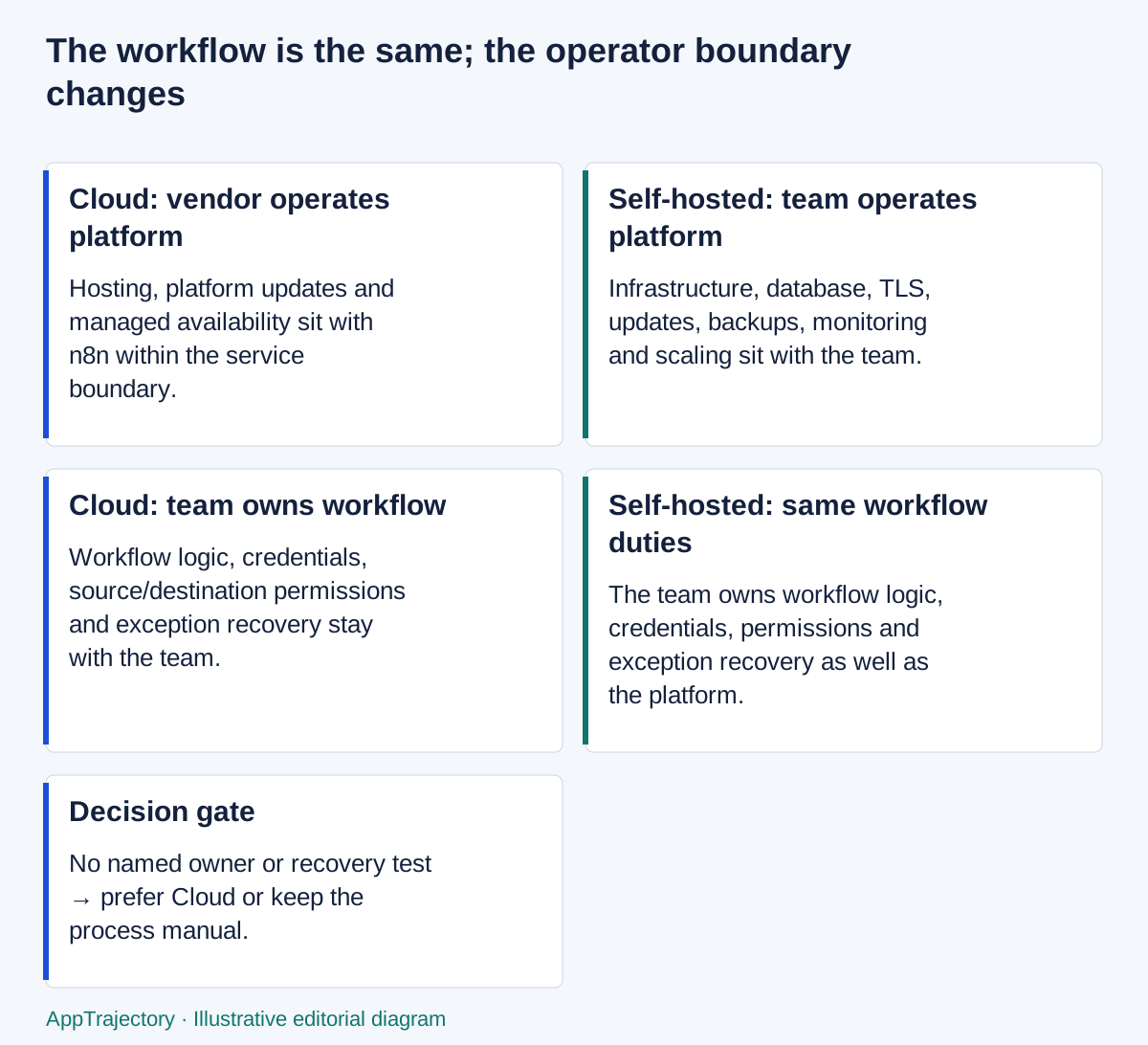
Read the diagram as text
- Cloud: vendor operates platform: Hosting, platform updates and managed availability sit with n8n within the service boundary.
- Self-hosted: team operates platform: Infrastructure, database, TLS, updates, backups, monitoring and scaling sit with the team.
- Cloud: team owns workflow: Workflow logic, credentials, source/destination permissions and exception recovery stay with the team.
- Self-hosted: same workflow duties: The team owns workflow logic, credentials, permissions and exception recovery as well as the platform.
- Decision gate: No named owner or recovery test → prefer Cloud or keep the process manual.
Selection decision: fit, limits and checks
| Decision question | Practical answer |
|---|---|
| Best fit | Cloud for a team that needs automation without taking on server operations; self-hosting when a specific control requirement justifies it and operators can sustain it. |
| Poor fit | Self-hosting based only on a cheap server quote, or assuming managed hosting removes ownership of workflow failures. |
| Essential versus optional | Gate on required edition controls, data handling, recovery and operator capacity; infrastructure preference alone is not a requirement. |
| Before purchase | Verify the actual edition and workload limits, restore a synthetic workflow where you own hosting and price platform operations alongside workflow support. |
| Alternative condition | Use a managed service, a different supported platform or a manual routine if nobody can accept the operating and recovery obligations. |
These are editorial selection judgments based on this guide’s stated evidence and assumptions. They are not new hands-on results. Use the selection methodology and scorecard to preserve your own acceptance checks and evidence.
The short answer
Choose n8n Cloud when:
- the workflow matters more than controlling the automation server;
- the team lacks a named infrastructure owner and backup operator;
- managed hosting, updates and scaling reduce delivery risk;
- public-cloud connectivity to the source and destination is acceptable;
- the required features and execution allowance fit the available plan.
Consider self-hosting when:
- a documented network, data-location or custom-node requirement rules out Cloud;
- the team already runs the relevant infrastructure competently;
- an owner and backup owner accept patching, database, TLS, backup, monitoring and recovery work;
- the required edition and licence terms are understood;
- a tested recovery plan exists before production data arrives.
Keep the process manual or choose another product when neither option has a credible owner. Self-hosting should solve a requirement, not merely avoid a line item.
Compare the responsibility boundary
| Responsibility |  n8n Cloud n8n Cloud | Self-hosted n8n |
|---|---|---|
| Workflow logic and field mapping | Your team | Your team |
| Google and ClickUp permissions | Your team | Your team |
| Credentials used by the workflow | Your team configures and governs them | Your team configures, governs and protects the host storing them |
| Application hosting | n8n | Your team or infrastructure provider |
| Platform updates | Managed by n8n | Your team plans, tests and applies them |
| TLS, reverse proxy and network policy | Managed service boundary, subject to plan and configuration | Your team |
| Database and storage | Managed service boundary | Your team |
| Backups and full restore | Vendor service boundary; confirm contractual needs and exports | Your team designs, stores, tests and documents them |
| Monitoring and host incidents | Vendor manages the service; your team still monitors workflow outcomes | Your team monitors both service and workflow outcomes |
| Workflow exceptions and uncertain downstream results | Your team | Your team |
| Scaling architecture | Managed within the service and plan limits | Your team designs workers, queue, Redis, database and storage when needed |
n8n Cloud
- Workflow logic and field mapping: Your team
- Google and ClickUp permissions: Your team
- Credentials used by the workflow: Your team configures and governs them
- Application hosting: n8n
- Platform updates: Managed by n8n
- TLS, reverse proxy and network policy: Managed service boundary, subject to plan and configuration
- Database and storage: Managed service boundary
- Backups and full restore: Vendor service boundary; confirm contractual needs and exports
- Monitoring and host incidents: Vendor manages the service; your team still monitors workflow outcomes
- Workflow exceptions and uncertain downstream results: Your team
- Scaling architecture: Managed within the service and plan limits
Self-hosted n8n
- Workflow logic and field mapping: Your team
- Google and ClickUp permissions: Your team
- Credentials used by the workflow: Your team configures, governs and protects the host storing them
- Application hosting: Your team or infrastructure provider
- Platform updates: Your team plans, tests and applies them
- TLS, reverse proxy and network policy: Your team
- Database and storage: Your team
- Backups and full restore: Your team designs, stores, tests and documents them
- Monitoring and host incidents: Your team monitors both service and workflow outcomes
- Workflow exceptions and uncertain downstream results: Your team
- Scaling architecture: Your team designs workers, queue, Redis, database and storage when needed
Cloud does not make the business process somebody else's responsibility. If the ClickUp task may exist but the receipt failed, your team still needs to reconcile it. If a source owner changes a field or revokes access, your team still owns the resulting workflow decision.
Self-hosting adds another layer. The person who understands the workflow may not be the person who understands PostgreSQL, certificates or a failed container update. Name both roles and their backups.
Data location is not a one-word decision
Self-hosting n8n does not make the complete Google Sheets-to-ClickUp workflow private or local. The request begins in Google and the task is written to ClickUp. Data crosses those service boundaries regardless of where the orchestration engine runs.
Document:
- what fields n8n receives;
- where execution data is retained;
- which credentials the platform stores;
- which external APIs receive the data;
- which logs, alerts and backups contain copies;
- how long each copy is kept;
- who can retrieve or delete it.
If the requirement is “keep all request data inside our network”, changing only the n8n host does not satisfy it. The source, destination and alert channels must also meet the requirement.
Compare editions and features before comparing prices
n8n's public pricing page currently describes all plans as including unlimited users, workflows and integrations, with pricing based on monthly workflow executions. Feature availability still varies by plan and edition. Self-hosted Community Edition is not automatically equivalent to every Cloud or paid self-hosted feature.
Start with requirements such as single sign-on, environments, collaboration, log streaming, external secret storage, support and execution capacity. Identify the lowest option that passes the essentials, then compare total cost.
At the time of checking on 21 September 2026, n8n listed Cloud Starter at €20 a month billed annually for 2,500 monthly workflow executions and five concurrent executions. It listed Pro at €50 a month billed annually for 10,000 executions. These are current public starting points, not a quote for every account or workload. Verify the live page, currency, taxes, billing commitment and required features before purchase.
Do not compare Cloud Starter with a self-hosted configuration that quietly depends on a paid self-hosted feature. Do not compare an annual-equivalent Cloud price with one month of cancel-any-time infrastructure.
Build a one-year ownership-cost worksheet
Use the same categories for both choices:
- Subscription or licence.
- Compute, database, storage, network and backups.
- Initial setup and migration labour.
- Routine updates, monitoring and access administration.
- Workflow support and exception recovery.
- Incident allowance and tested restore work.
- Security review and compliance work.
- Eventual exit, export and migration.
Workflow support belongs on both sides. Platform operations are heavier on self-hosting.
An illustrative comparison
The following arithmetic is a planning example, not Stuart's invoice or a universal market price. Assume an internal labour rate of €50 an hour, exclude tax, initial setup on both sides and the shared cost of building and operating the workflow itself. This compares recurring platform costs under explicit assumptions, not the full first-year bill.
| One-year input | Cloud illustration | Self-hosted illustration |
|---|---|---|
| Vendor or infrastructure | €20 × 12 = €240 | Compute €25 × 12 = €300 |
| Backup and monitoring services | Included in this narrow Cloud line, subject to service needs | €10 × 12 = €120 |
| Ongoing platform administration | 0.5 hours/month × 12 × €50 = €300 | 2 hours/month × 12 × €50 = €1,200 |
| Partial recurring annual cost | €540 | €1,620 |
This restricted example shows why labour can outweigh a subscription. It does not prove Cloud is always cheaper. A team with established infrastructure, automation and spare operational capacity may have different marginal costs. A regulated or isolated deployment may value control more than the numerical difference.
Also record what the example omits: initial setup for either option, workflow design, support incidents, paid self-hosted editions, migration, security assessment, tax, currency movement and the cost of a serious outage. Use the SaaS total-cost guide and calculator to keep the categories consistent.
Back up enough to restore the service
For a complete self-hosted backup, n8n's current guidance includes the .n8n user folder and encryption key, the external PostgreSQL database when used, external storage and custom nodes. The encryption key matters because credentials cannot be decrypted without it.
n8n's CLI export can back up workflows and credentials, but its documentation says that does not include users, roles, execution history, variables, settings or the encryption key. Treat a workflow export as one component, not a full disaster-recovery plan.
Write a restore runbook that identifies:
- the application version to restore;
- the database snapshot;
- binary or external storage;
- custom/community nodes;
- the encryption key and its separate protected location;
- DNS, TLS and proxy configuration;
- environment variables and secrets;
- the person authorised to run the restore;
- a synthetic workflow used to prove the restored service can reach its dependencies.
Test the restore before production. A backup job completing is not evidence that the application and encrypted credentials can be recovered.
Own updates and security work
n8n recommends updating frequently and suggests at least monthly. Check release notes and breaking changes, back up first, and test the upgrade against representative workflows before changing production.
For self-hosting, include these controls in the operating plan:
- TLS and secure network exposure;
- strong login controls, SSO or 2FA where the chosen edition supports them;
- security audit review;
- API exposure and unused endpoints;
- risky or unneeded nodes;
- SSRF protection and outbound network policy;
- execution-data redaction and retention;
- credential rotation and encryption-key custody;
- removal of former team members and unmanaged personal accounts.
The remote-team access checklist helps define an owner and backup. Do not make one developer's laptop, password manager or personal cloud account the recovery plan.
Scale only when the workload requires it
n8n documents queue mode for scaling with a main instance, Redis, workers and a database. That architecture adds moving parts and operational failure modes. The documentation recommends PostgreSQL for queue mode and notes that filesystem binary storage is not supported there without an external storage arrangement.
Do not begin a modest project-intake workflow with a distributed architecture merely because it is available. Measure execution volume, concurrency, duration and recovery needs. If the simple deployment approaches a limit, plan the database, queue, worker and storage change as an explicit project with rollback and restore checks.
Cloud can reduce this infrastructure work, but plan and concurrency limits still matter. Confirm the actual allowance and test the representative workload rather than relying on a generic label such as “managed”.
Plan the exit before committing
For either model, document how to export workflows and credentials safely, identify external dependencies and reproduce the environment. Keep a plain-language map of the Google Sheet, n8n credentials, Data Table, ClickUp List, alerts and responsible owners.
If leaving Cloud, determine what can be exported, what must be recreated and how encrypted credentials will be handled. If leaving self-hosting, preserve the required records without retaining a vulnerable abandoned server.
A small-team exit test can be modest: another authorised person should be able to identify every dependency, export the workflow, find the source-to-task ledger and explain how new requests would be handled during migration.
My recommendation
I would choose n8n Cloud for a small team that wants the automation capability without becoming the platform operator. The team still owns workflow logic, permissions and exception recovery, but it avoids adding server maintenance before the business process is proven.
I would choose self-hosting when there is a specific control requirement, the necessary edition is understood and named people can maintain and restore the service. Include their time in the decision. A cheap virtual machine is not a complete cost model.
Pilot the project-intake workflow with synthetic data, test a failed receipt and document the operating boundary. If nobody can accept the platform responsibilities, use Cloud or keep the process manual. The right answer is the one the team can run and recover, not the one with the smallest visible subscription line.
How sensitive is the Cloud recommendation?
The verified Starter subscription is €240 a year. At the example’s assumed €50 hourly labour rate, that equals 4.8 hours of work. This is a useful scale comparison: a few hours of avoidable platform work can matter as much as the visible subscription. It does not establish that self-hosting takes 4.8 hours or that Cloud eliminates workflow support.
The comparable recurring totals differ by €1,080 (€1,620 minus €540), but that is the difference between two planning scenarios, not measured savings. The self-hosted example assumes €420 in annual infrastructure before operator time. Both sides exclude initial setup, workflow support and incident costs. A team with suitable existing infrastructure could have lower marginal costs; a team needing paid self-hosted features could have higher ones. Add those categories to both sides before making a purchase decision.
My winner remains Cloud for a small team without an established platform operator. Self-hosting wins when a specific control requirement rules out Cloud and the team can operate and restore the required edition. Confirming a restore with the database, encryption key and dependencies matters more than claiming a cheap server is equivalent to a managed service. No restore-duration or uptime benchmark is claimed here.
Explore your next step
If a hosted service fits your requirements, explore n8n Cloud. Keep the self-hosting responsibility and total cost comparison above in your decision.
Is n8n Cloud right for your team?
For a plan-by-plan selection decision, read the n8n Cloud review for small project teams. It covers permissions, execution costs, operating limits and a practical purchase checklist.